
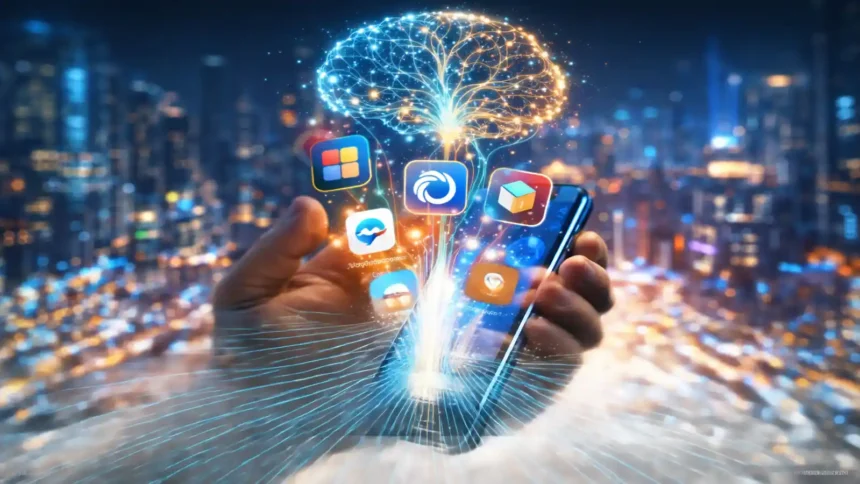
Let’s be real: your iPhone 16 is a beast, but the software holding it back is… well, dumb. Siri struggles with timers, let alone complex questions. And while the App Store is flooded with “AI” apps, 99% of them are just trash wrappers around ChatGPT that beg for a credit card after three clicks.
I got tired of the “Free Trial” scams, so I tested 50+ apps to find the actual best free ai apps for iphone that give you “Pro” power without the subscription fee. No fake free trials, no credit cards. Just raw utility.
Quick Download Guide: Top 10 Free Tools
| App Name | Best For | Replaces | Cost |
| Microsoft Copilot | GPT-4 & DALL-E 3 | ChatGPT Plus | Free |
| Perplexity | Smart Research | Google Search | Free |
| Photoroom | Background Removal | Photoshop | Free Plan |
| Otter.ai | Meeting Notes | Manual Typing | Free Plan |
| Luma AI | 3D Capture | Expensive Gear | Free |
| SwiftKey | Grammar & Tone | Default Keyboard | Free |
| Notion | Organization | Evernote | Free |
| Microsoft Designer | AI Art Generation | Midjourney | Free |
| Character.ai | Roleplay | Boredom | Free |
| Arc Search | Browsing | Safari | Free |
Why You Need These Apps
Apple is playing catch-up. While they slowly roll out Apple Intelligence, companies like OpenAI and Microsoft are miles ahead. The problem isn’t availability; it’s cost. Most people think they need to pay $20/month to get the good stuff.
You don’t. The apps listed below are the “cheat codes.” They are essentially giving away premium technology—like GPT-4 and Computer Vision—for free to gain market share. Smart users are installing these best free ai apps for iphone right now to bypass the paywalls.
I’ve broken this down by category so you can find exactly what you need to upgrade your daily workflow.
1. The Do Everything App
If you only install one app from this list, make it this one. It solves the biggest question: what is the single best free ai apps for iphone choice for general use?
App #1: Microsoft Copilot (The King)
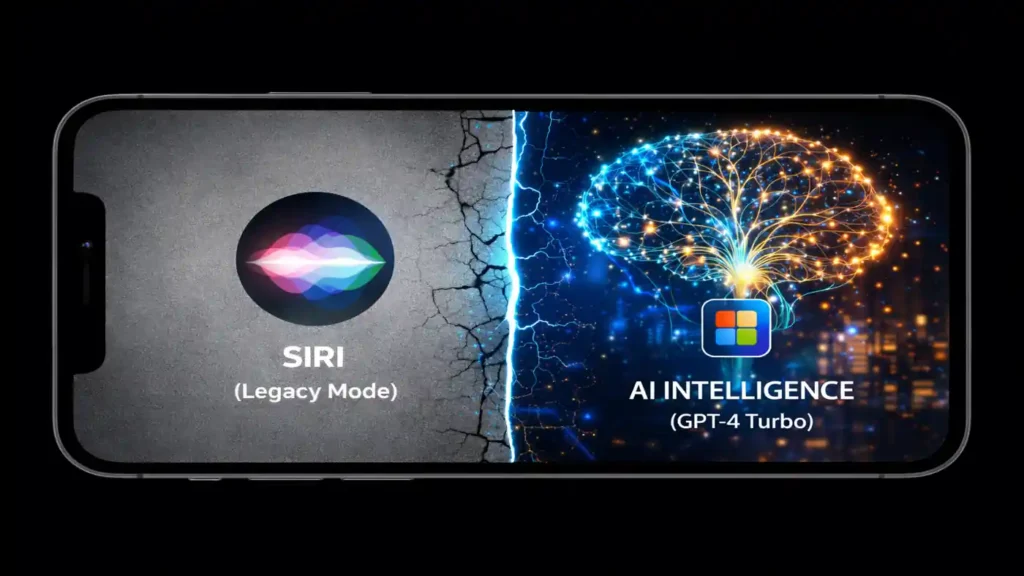
Here is the secret: Microsoft is paying OpenAI billions so you don’t have to. Copilot is basically ChatGPT Plus, but completely free. It is easily the top contender among the best free ai apps for iphone.
Why It Kills the Competition:
- GPT-4 Turbo Access: Most free apps stick you with GPT-3.5 (the dumb version). Copilot gives you the smart one. (See OpenAI’s GPT-4 capabilities).
- DALL-E 3: You want to generate images? It’s built-in.
- Web Access: It browses the live internet. ChatGPT Free often can’t do this well.
Tutorial: How to actually get GPT-4
Don’t just open the app and start typing. You need to flip a switch.
- Download: Get Microsoft Copilot and sign in.
- The Switch: Right on the home screen, you’ll see a toggle labeled “Use GPT-4”. Turn it ON.
- Real World Test: I took a picture of a random error code on my washing machine. Copilot read the code from the photo, searched the manual online, and told me exactly which button to hold to reset it. That’s the power of one of the best free ai apps for iphone.
2. The Chatbot Wars: Better Than Siri
Siri is great for setting alarms, but terrible for actual answers. These replacements are the best free ai apps for iphoneregarding conversation and research.
App #2: Perplexity AI (The Student’s Weapon)
Copilot creates; Perplexity finds. Think of it as “Google Search 2.0.” It is consistently rated as one of the best free ai apps for iphone for students.
The Difference:
When you Google “best budget 4k monitor,” you get 10 SEO-spam links. When you ask Perplexity, it reads those 10 links for you and writes a summary: “The best option is the Dell S2721QS because of X, Y, Z.”
Pro Tip:
Use the Perplexity Widget on your home screen. It’s faster than opening Safari. It cites every single claim, so you can verify facts for your essays or reports.
App #3: Character.ai (The Fun One)
Okay, this isn’t for work. It’s for when you’re bored. Character.ai lets you talk to user-created personas, making it unique among the best free ai apps for iphone.
- Use Case: I used the “Psychologist” persona to vent about a bad day, and honestly? It gave better advice than some real people.
- Language Learning: Set up a chat with a “French Tutor” bot. It’s a judgment-free zone to practice your new language skills.
3. The Creator Studio (Photos & Video)
Your iPhone camera is amazing, but your editing skills might not be. These apps use machine learning to fix your mistakes instantly, proving they are the best free ai apps for iphone for creators.
App #4: Photoroom (The eBay Seller’s Best Friend)
I cannot stress this enough: if you sell on eBay, Poshmark, or Depop, you need this. It is widely considered one of the best free ai apps for iphone for e-commerce.
The Workflow:
- Take a photo of your old sneakers on your messy floor.
- Open Photoroom.
- Boom. The messy floor is gone. It’s just the shoes on a pure white background.
- Want to get fancy? Tap “Instant Backgrounds” and put the shoes on a marble pedestal. It looks like a Nike ad.
App #5: Luma AI (The “Wait, That’s Real?” App)
This one feels like magic. It uses “Gaussian Splatting” (fancy tech term) to capture 3D objects. Among the best free ai apps for iphone, this one is the most futuristic.
How to use it:
Don’t just take a photo. You walk around an object (like your car) with your camera. Luma stitches it together into a 3D model. You can spin it, zoom in, and even drop that 3D model into a video game engine. It’s completely free, which is insane considering this tech used to cost thousands.
| # Go Viral on TikTok |
| Got a cool 3D scan from Luma? Don’t just let it sit there. Animate it. Use these video generators to turn your scans into viral content. Read Guide: Best Free AI Video Generator Without Watermark (2026) |
App #6: Microsoft Designer
Need a logo or a birthday card? Stop using Canva templates that everyone else uses. Designer uses DALL-E 3 to generate unique images from text. It is a strong competitor for the title of the best free ai apps for iphone for art.
- Prompt: “A futuristic poster for a tech blog called FreakWolf, neon colors.”
- Result: 4 unique designs in seconds.
| # Need More Art Control? |
| Designer is great, but sometimes you need more specific art styles. Check out these unlimited alternatives to Midjourney. Read Guide: Best Midjourney Free Alternative: Unlimited Tools (2026) |
4. The Productivity Powerhouse
Your phone distracts you. These apps help you focus. To be considered one of the best free ai apps for iphone, an app must save you time, and these do exactly that.
App #7: Otter.ai (Never Take Notes Again)
I used to frantically type notes during Zoom calls. Now I just turn on Otter.
- What it does: It listens to the meeting and types everything out.
- The Killer Feature: It knows who is talking. It labels “John” and “Sarah” automatically. After the meeting, it emails you a summary saying “John promised to send the report by Friday.” It holds people accountable.
App #8: Notion (The Second Brain)
Notion is overwhelming at first, but the AI features make it easy. It is often listed in the top 10 best free ai apps for iphone.
- The Hack: Dump your messy, unorganized thoughts into a page. Then click “Ask AI” -> “Fix Spelling & Grammar” or “Make this a To-Do List.” It cleans up your brain dump instantly.
5. The Hidden Utilities
These are the apps you set up once and forget, but they make your life 10x easier. They are the unsung heroes of the best free ai apps for iphone list.
App #9: SwiftKey (The Smart Keyboard)
Apple’s autocorrect is… aggressive. SwiftKey is smart.
- Tone Check: Before I send an angry email to customer support, I use the “Tone” feature. It rewrites my angry rant into a “Professional” complaint. It has saved me from burning bridges multiple times, making it an essential entry in the list of best free ai apps for iphone. (Check out Microsoft’s SwiftKey page for more).
App #10: Arc Search
I stopped using Safari for quick searches. Arc has a “Browse for Me” button.
The Elephant in the Room: Battery Life
Look, I have to be honest with you. AI is heavy.
Running GPT-4 queries and rendering 3D models in Luma pushes your iPhone’s A18 Chip hard. Even the best free ai apps for iphone will drain your battery.
- Heat is Normal: If your phone gets warm near the cameras while using Copilot Vision, don’t panic. That’s the Neural Engine doing math.
- Battery Drain: These apps sip battery faster than Instagram. If you’re on an older iPhone (13 or 14), bring a charger.
- Privacy: Most of these are cloud-based apps. If you are working on top-secret government documents, maybe don’t upload them to a free chatbot. For everything else, you’re fine.
Final Verdict: What Should You Install?
You don’t need all 10 apps. That’s clutter. To build your collection of the best free ai apps for iphone, start with this trio:
- The Brain: Download Microsoft Copilot. It replaces Siri, ChatGPT, and Google in one go.
- The Editor: Get Photoroom. It’s essential for photos.
- The Browser: Swap Safari for Arc Search or Perplexity.
These apps prove that the best free ai apps for iphone are often better than the paid ones. Go download them, save your money, and let your iPhone actually be “smart” for once.
Frequently Asked Questions (FAQs)
What is the absolute best free AI app for iPhone right now?
Microsoft Copilot is the winner. It is arguably the best free ai apps for iphone choice because it gives you GPT-4 and image generation completely free.
Is there a free AI chatbot better than Siri?
Yes, Perplexity and Copilot blow Siri out of the water. They are consistently ranked as the best free ai apps for iphone for getting actual answers.
Can I really replace Siri with these apps?
You can get close. By mapping the Action Button to launch Copilot, you use one of the best free ai apps for iphone instantly. (See Apple Support for guides).
Are these apps completely free or “fake” free?
Apps like Luma AI and Arc Search are truly free, which is why they are on our list of the best free ai apps for iphone. Others have generous free tiers.