
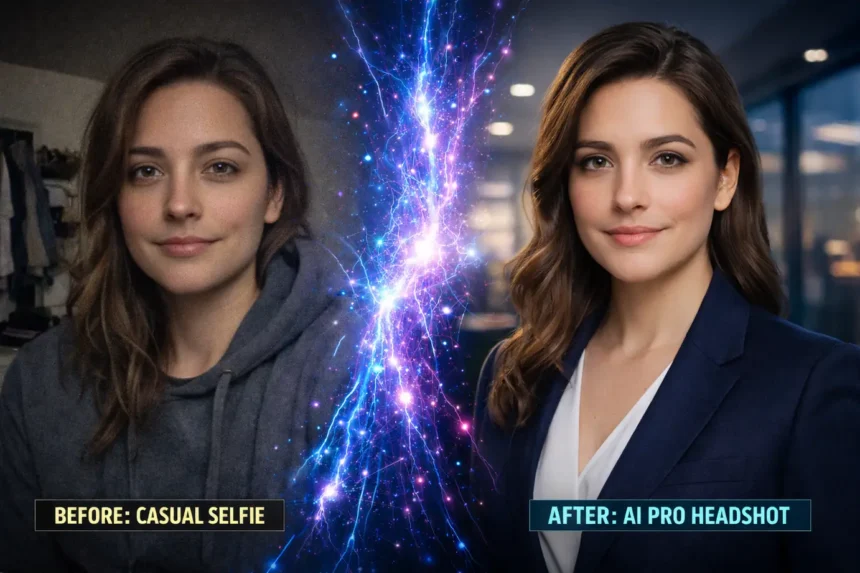
Let’s be brutally honest: paying $300 for a photographer to take a picture of you standing against a brick wall is a scam in 2026. You have a 48-megapixel camera in your pocket and access to the best free ai headshot generator tools on the open web.
- The Halo Effect: Why You Need a Free AI Professional Headshot Generator
- 1. The Daily Freebie: MyEdit
- 2. The Profile Pic King: PFPmaker AI
- 3. The “Secret Hack”: Bing Image Creator + Face Swap
- 4. The “DIY” Designer: Canva
- 5. The “Creative” Choice: YouCam Online Editor
- The Premium Heavyweights (Paid Options)
- Deep Dive: The Science of a Good Headshot
- Common Mistakes When Using a Free AI Headshot Generator
- Conclusion: Which One Should You Choose?
But here is the problem: The internet is full of “Fake Free” tools. You upload your photos, wait 30 minutes, and then get hit with a “$29 Paywall” just to see the results. I hate that.
So, I ignored the marketing hype and tested 20+ tools myself. I looked for the Holy Grail: a free ai professional headshot generator that actually lets you download the image without opening your wallet. Whether you need a quick linkedin photo generator free of charge or a robust ai business photo maker free alternative for your resume, this guide covers the tools that actually work.
Quick Comparison: Top 8 Tools (Free vs. Paid)
| Tool Name | Best For | Real Cost | Free Credits? |
| MyEdit | Overall Winner | Free | 3 Daily |
| PFPmaker | Profile Pics/Avatars | Free | Unlimited |
| Canva | DIY Clothing Swap | Free | Unlimited |
| Bing + FaceSwap | The Secret Hack | Free | Unlimited |
| YouCam | Creative Control | Freemium | Limited |
| Aragon AI | Professional/Business | $35+ | No (Paid) |
| HeadShotPro | Remote Teams | $29+ | No (Paid) |
| Dreamwave | High-End Realism | $35+ | No (Paid) |
The Halo Effect: Why You Need a Free AI Professional Headshot Generator
In the US job market, your face is your logo. Recruiters spend an average of 6 seconds looking at a resume, and the first thing they judge is your photo. A grainy selfie cropped from a wedding screams “amateur,” while a crisp studio shot screams “executive material.”
Psychologists call this the Halo Effect. When people see a high-quality, professional photo, they subconsciously assume you are smarter, more competent, and trustworthy. By using a free ai professional headshot generator, you are essentially hacking human psychology. You are upgrading your personal brand from “Job Seeker” to “Industry Leader” without spending a dime.
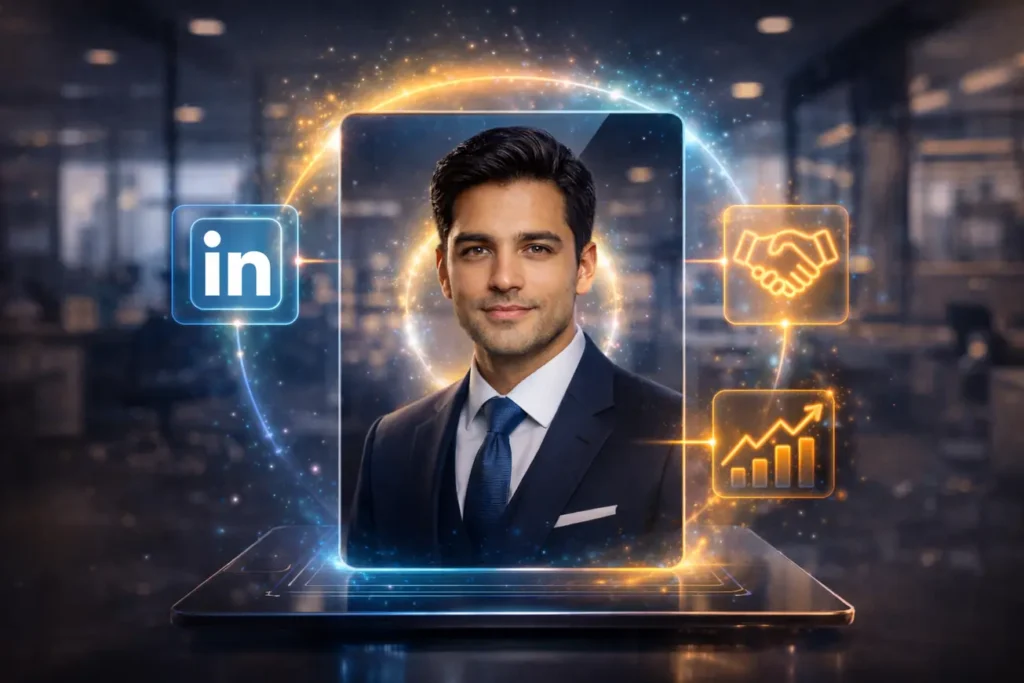
Many users try to turn selfie into headshot ai free of cost, but fail due to using the wrong tools. Below is the detailed breakdown of which best free ai headshot generator actually delivers on this promise.
1. The Daily Freebie: MyEdit
If you want a truly best free ai headshot generator without entering a credit card or signing up for a deceptive 7-day trial, MyEdit is the undisputed champion in 2026. Unlike other apps that trap you, MyEdit acts as a genuine free ai professional headshot generator by refreshing your credits every single day.
Why It Wins:
Most competitors give you “one-time” free credits. MyEdit gives you 3 free credits every 24 hours. This makes it the most reliable ai business photo maker free tool for consistent use.
Pros & Cons
| Pros | Cons |
| ✅ 3 Free credits refreshed daily | ❌ Cannot upload multiple selfies for training |
| ✅ No Watermarks on final download | ❌ Takes ~30 seconds to generate |
| ✅ Good variety of suits/outfits | ❌ Lighting can sometimes look flat |
Tutorial: How to Create a Pro Headshot in MyEdit
- Access: Go to the MyEdit website (Works on Mobile/Desktop).
- Mode: Choose “AI Headshot” from the menu.
- Upload: Upload one high-quality selfie. Tip: Ensure your face is evenly lit.
- Customize: Select your gender and preferred style. I recommend “Suit” or “Knitwear” for the best results from this linkedin photo generator free tool.
- Generate: Click generate.
- Download: Save the best one. If you don’t like it, come back tomorrow and try again.
FreakWolf Verdict:
It is the only tool that allows you to turn selfie into headshot ai free of charge repeatedly without creating a new account.
2. The Profile Pic King: PFPmaker AI
PFPmaker started as a simple background remover, but their new tools make it a top contender for the linkedin photo generator free category. If you want that colorful, “Startup Founder” circle photo you see on Twitter, this is the tool.
The “Free” Factor:
The basic tool is 100% free and unlimited. While they have a paid “Generative Suit” feature, the free background tools are often enough to turn selfie into headshot ai free of clutter by simply removing the messy background of your original photo.
Pros & Cons
| Pros | Cons |
| ✅ 100% Unlimited Free Use | ❌ “Generative Suit” feature is paid |
| ✅ Excellent Background Removal | ❌ Best for avatars, not realistic studios |
| ✅ Creates matching LinkedIn Banners | ❌ No “Text-to-Image” prompts |
Tutorial: How to Use PFPmaker
- Upload: Upload any photo (even with a messy background like a kitchen or park).
- Auto-Edit: The AI instantly removes the background.
- Select Scene: Choose “Office,” “Studio,” or “Gradient.”
- Edit: You can rotate your photo or add a drop shadow to make it pop.
- Download: Click the green download arrow.
FreakWolf Verdict:
While not a full generative AI, it is the best linkedin photo generator free tool for quick edits if you already have a decent photo but a bad background.
3. The “Secret Hack”: Bing Image Creator + Face Swap
Okay, here is the part you won’t find on corporate blogs. If you don’t want to pay for premium tools, use this Face Swap method. It is the ultimate turn selfie into headshot ai free hack that gives you unlimited results. This combination acts as a powerful custom best free ai headshot generator.
The Strategy:
We use one AI to generate the Perfect Body and another AI to paste your face on it.
Pros & Cons
| Pros | Cons |
| ✅ Completely Free & Unlimited | ❌ Requires using two separate websites |
| ✅ Highest Quality (DALL-E 3) | ❌ Takes ~5 minutes to master |
| ✅ Total creative control | ❌ Face swap can sometimes look blurry |
Step-by-Step Tutorial:
Step 1: Generate a Base Image
Go to Bing Image Creator (which uses DALL-E 3 for free) and type:
“A professional hyper-realistic headshot of a man/woman wearing a dark business suit, white shirt, office background, 8k resolution, looking at camera.”
Download the image that has the perfect “body” and “hair.”
Step 2: Face Swap
Go to a free tool like Remaker AI or Vidnoz Face Swap.
- Upload the “Base Image” you generated in Step 1 as the Target.
- Upload your best “Selfie” as the Source.
- Click Swap.
FreakWolf Verdict:
This is the smartest way to get a free ai professional headshot generator experience without paying a dime.
4. The “DIY” Designer: Canva
Canva isn’t just for designs; it is a solid linkedin profile picture ai generator free option if you know the trick. It uses the “Magic Edit” tool to function as a free ai professional headshot generator.
The Strategy:
You keep your real face but use AI to change your clothes. This avoids the “uncanny valley” where AI makes you look like a stranger, which is a common issue with other best free ai headshot generator tools.
Pros & Cons
| Pros | Cons |
| ✅ Keeps your real face (100% likeness) | ❌ Requires a manual “brushing” step |
| ✅ Unlimited retries | ❌ Background removal requires “Pro” (sometimes) |
| ✅ Easy to add text/branding | ❌ Cannot change lighting on face |
The Canva Hack Tutorial:
- Upload: Upload your photo to a blank Canva design.
- Edit: Click “Edit Photo” -> “Magic Edit”.
- Brush: Paint over your t-shirt (leave your neck and face alone).
- Prompt: Type: “Professional charcoal grey business suit.”
- Generate: Click Generate to let the best free ai headshot generator work its magic.
FreakWolf Verdict:
The safest way to turn selfie into headshot ai free while looking 100% like yourself.
5. The “Creative” Choice: YouCam Online Editor
YouCam is famous for mobile filters, but its web-based tool is a hidden gem for those seeking a best free ai headshot generator with creative control.
Unique Feature: Image-to-Image
YouCam allows Image-to-Image generation. You can use a prompt like “A professional Linkedin headshot of a man in a navy suit” to guide this free ai professional headshot generator. This gives you more control than simple presets.
Pros & Cons
| Pros | Cons |
| ✅ High customization with text prompts | ❌ Free credits are limited |
| ✅ Built-in “Face Retouch” tools | ❌ Requires sign-up |
| ✅ Excellent mobile interface | ❌ Watermark on some high-res downloads |
Tutorial: Text-to-Image Headshots
- Select Mode: Go to “Text to Image.”
- Upload Reference: Upload your selfie so the AI knows your face structure.
- Prompt: Type: “Professional corporate headshot, 8k resolution, soft lighting, wearing a grey blazer.”
- Generate: Use your free credits to create the image.
- Pro Tip: If you are editing on your phone, check out our guide to the best free ai apps for iphone to enhance your workflow further.
FreakWolf Verdict:
A powerful ai business photo maker free option if you are good at writing detailed prompts.
The Premium Heavyweights (Paid Options)
Note: The tools below are often listed as a “free ai headshot generator” on blogs, but they are actually Paid. I list them because they outperform any ai business photo maker free tool in terms of realism.
6. Aragon AI (The Industry Standard)
If you have a budget, Aragon AI is the gold standard. It outperforms every free ai professional headshot generator by training a custom model on your face.
Why Pay?
Free tools use generic filters. Aragon uses LoRA technology to learn your bone structure. The lighting looks like a $500 studio session.
Key Features:
- Custom Training: Trains a unique AI model for every user.
- High Resolution: Images are print-ready (2048×2048).
- Speed: Delivers results in 60-90 minutes.
7. HeadShotPro (For Teams)
HeadShotPro is built for teams, solving problems that a simple turn selfie into headshot ai free tool cannot.
The Killer Feature:
It offers a “Team Dashboard.” You can invite your 50 employees, they upload their selfies, and you get back 50 headshots that all have the exact same background and lighting style.
Key Features:
- Team Dashboard: Manage photos for 50+ employees.
- Uniformity: Ensures everyone has the exact same background.
- Optimized for Realism: Focuses on natural lighting.
8. Dreamwave
Dreamwave focuses on skin texture, making it a realistic alternative to any free ai professional headshot generator.
The Problem it Solves:
Cheap AI makes skin look plastic. Dreamwave preserves pores and moles. It is arguably the most realistic ai business photo maker free trial alternative (if available).
Key Features:
- Texture Preservation: Keeps skin looking human.
- Styling Options: Varied backgrounds from “Open Office” to “Studio.”
- Money-Back Guarantee: If photos don’t look like you, they refund.
Deep Dive: The Science of a Good Headshot
Even with the best free ai headshot generator, garbage in equals garbage out. According to Forbes, bad lighting in the source photo is the #1 reason for failed AI generations. Whether you use a paid tool or a free ai professional headshot generator, the input rules remain the same.
How to Take the Perfect Input Selfie:
- Lighting: Stand facing a window. Natural light is key. Avoid harsh shadows on your face.
- Angle: Hold the camera at eye level. Don’t look down at the lens (it creates a double chin).
- Expression: Smile slightly. A “neutral” face can look like a mugshot.
- Clothing: Wear something simple. If the free ai professional headshot generator sees a hoodie, it might struggle to generate a suit neck correctly.
If you follow these steps, even a simple tool like MyEdit will function as a high-end ai business photo maker free of charge.
| # Pro Tip: Make Your Headshot Talk |
| Now that you have a professional photo, why stop there? You can turn this headshot into a speaking avatar for your video resume using the best ai voice generators. Combining pro visuals with pro audio is the ultimate way to stand out in 2026. |
Common Mistakes When Using a Free AI Headshot Generator
When trying to turn selfie into headshot ai free of cost, many users make avoidable mistakes. Here is what to watch out for:
- Using Filters: Do not upload selfies with Snapchat or Instagram filters (dog ears, heavy smoothing). The best free ai headshot generator needs your real skin texture to work correctly.
- Group Photos: Never upload a photo with other people in it. The AI might get confused and merge faces.
- Low Resolution: If your input photo is blurry, the output from the linkedin photo generator free tool will look like a cartoon.
- Wrong Aspect Ratio: LinkedIn requires a square image. Ensure your ai business photo maker free tool exports in 1:1 format.
Conclusion: Which One Should You Choose?
It depends on your wallet and your patience.
- For $0 Budget (Easiest): Use MyEdit. It is the best free ai headshot generator for quick, risk-free results.
- For $0 Budget (Highest Quality): Use the “Secret Hack” (Bing + Face Swap). It allows you to turn selfie into headshot ai free of limits and produces studio-quality results.
- For Professionals: If you can afford it, pay the $35 for Aragon. It beats any linkedin photo generator free tool in terms of sheer realism and consistency.
Your LinkedIn profile is your 24/7 billboard. Don’t let a bad photo close doors for you. Use these best free ai headshot generators to upgrade your career today.
Frequently Asked Questions (FAQs)
Are there any 100% free AI headshot generators?
A: Yes, MyEdit gives free daily credits, and the Bing Image Creator method is completely free. Most others are “Freemium” and limit high-res downloads.
Can I use AI headshots for LinkedIn?
A: Absolutely. Using a linkedin photo generator free tool is acceptable as long as it looks realistic. 60% of new profiles use AI-enhanced photos.
How do I turn my selfie into a professional headshot for free?
A: The best way to turn selfie into headshot ai free is using Canva’s Magic Edit to swap clothes, or MyEdit to change the background.
Why do Aragon and HeadShotPro cost money?
They train a custom AI model (LoRA) specifically on your face, which requires expensive GPU power, unlike a simple free ai professional headshot generator.
Is my data safe with these AI generators?
Major tools like Canva and MyEdit are safe and delete data. Always read the privacy policy before using any new ai business photo maker free tool.